


Action Ready Incident Response Playbooks Mapped to NIST, CISA, and AWS
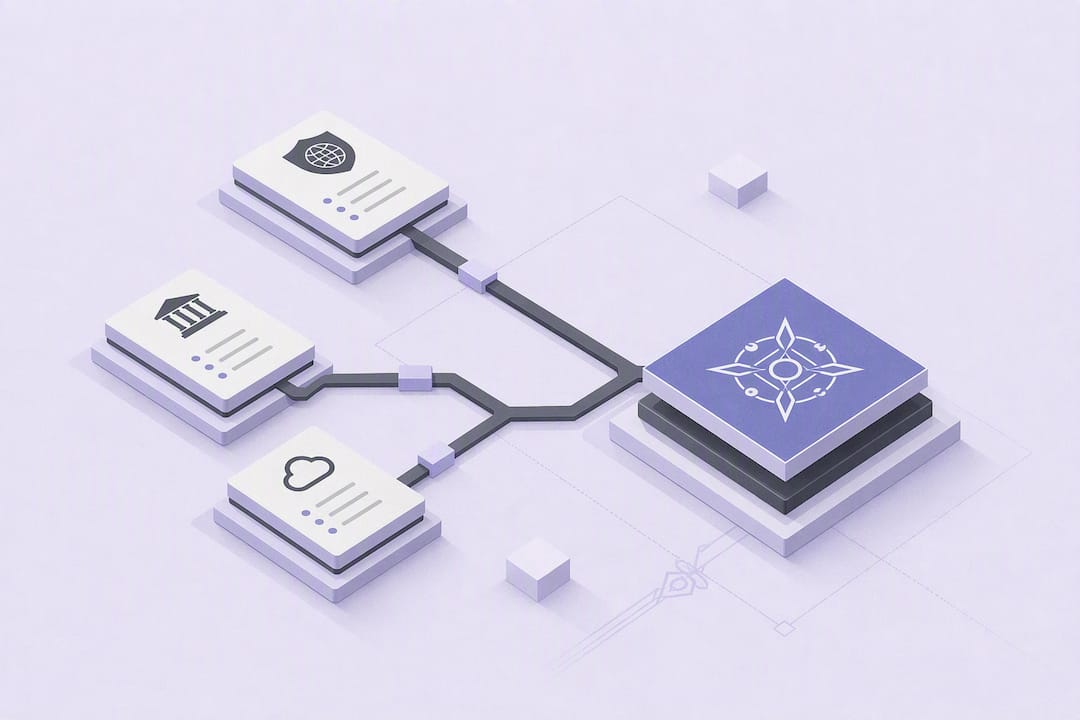
An incident response playbook is a short, executable checklist and workflow that lets a team detect, contain, and recover from a specific type of incident without improvising under pressure. Following the NIST-style lifecycle, a playbook translates policy into action for one scenario at a time. The immediate move is to draft playbooks for the three incident types most likely to hit your environment, then test and refine them. What follows covers the exact template structure, prerequisites, scenario examples, and retrospective practices that make that draft usable.
TL;DR:
Playbooks should be tested through realistic drills and simulations before automation to ensure they work reliably under pressure.
They must include clear prerequisites like logs, access, and legal considerations to prevent failure during an incident.
Maintain a responsibilities matrix within each playbook to assign roles such as incident manager, technical lead, and legal reviewer, and keep it updated.
Playbooks need a fixed review schedule, with documented updates tied to specific incidents or exercises, to prevent them from becoming outdated.
External notification procedures and legal considerations must be integrated, especially for regulated data breaches and evidence handling, to ensure compliance.
PROJECT-JTH
Bring Clarity to Critical Operations
PROJECT-JTH provides technical advisory services and risk assessments for organizations managing operational challenges under pressure.
Table of Contents
What Makes Incident Response Playbooks Different From Plans and Runbooks
Core Components and Structure: a Ready-to-Copy Playbook Template
Scenario Templates: Phishing, Ransomware, and Cloud Identity Compromise
Prerequisites and Technical Preparation Every Playbook Must Call Out
Post-Incident: How to Run a Blameless Retrospective and Update Playbooks
Communication Protocols During Incidents Including Internal and External Notifications
Legal and Compliance Considerations Related to Incident Handling
What Makes Incident Response Playbooks Different From Plans and Runbooks
The three terms get used interchangeably, and that confusion causes real delays during an actual incident. An incident response plan is the governing document: policy, authority, scope, and overall strategy. A playbook is a scenario-specific, step-by-step procedure built to execute that plan for one incident type, such as phishing or ransomware. A runbook is often the most granular layer, a technical script or command sequence a specific tool or system runs, sometimes triggered by a step inside a playbook.
NIST SP 800-61r3 frames incident response around a repeatable lifecycle and recommends playbooks specifically as a formatting choice that improves usability during time pressure. That lifecycle maps cleanly onto playbook structure:
Prepare — policies, tooling, training, and the playbooks themselves get built before anything happens.
Detect and triage — alerts get validated and scored for severity.
Contain — the spread gets stopped without destroying evidence.
Eradicate and recover — root cause gets removed and systems return to normal operation.
Post-incident — the response gets reviewed and the playbook gets updated.
Use a playbook when a scenario is repeatable and time-critical. Use the broader plan or a case-by-case incident response strategy when the scenario is novel or ambiguous enough that a fixed checklist would do more harm than good.
Core Components and Structure: a Ready-to-Copy Playbook Template
Every effective playbook follows a similar skeleton whether it comes from a Fortune 500 SOC or a two-person IT shop. Microsoft’s published playbooks consistently include prerequisites, workflow, checklist, and investigation steps, and that four-part backbone scales down well for smaller teams.
Overview and scope — what the playbook covers and, just as important, what it does not.
Prerequisites — logs, access, and tools that must already exist (covered in depth below).
Stakeholder contacts — names or role titles, not just “notify management.”
Triage scoring — a simple severity rubric so anyone on shift can classify the incident the same way.
Workflow and checklist — the ordered steps, written as actions, not descriptions.
Investigation queries or commands — the exact query, script, or console path, not a vague pointer to “check the logs.”
Containment options — ranked by impact, from least disruptive to full isolation.
Eradication and recovery steps — how the threat is removed and how service resumes.
Expected outcomes — what “resolved” looks like, so responders know when to stop.
Write decision points as forks, not paragraphs: “If MFA logs show impossible travel, proceed to Step 4. If not, escalate to Tier 2.” Every step needs an expected output attached to it, because a responder at 2 a.m. needs to know immediately whether the command worked or whether it’s time to escalate.
Pro Tip: Keep every checklist item to one line. If a step needs more than one sentence to explain, it belongs in a linked runbook, not the playbook itself.
Scenario Templates: Phishing, Ransomware, and Cloud Identity Compromise
Generic advice fails the moment an analyst opens a real ticket. Scenario-specific templates, the kind found in community-maintained repositories on GitHub, work because they name the exact indicators and the exact first moves.
Phishing and business email compromise. Indicators include reported suspicious emails, unusual mailbox rule creation, or a login from an unfamiliar location right after a click. Fastest actions:
Lock the affected account and force a password reset.
Enforce MFA re-registration before restoring access.
Place a hold on the email thread across the organization to stop forwarding.
Preserve headers, logs, and the original message before deleting anything.
Ransomware. The first real decision is isolation versus shutdown. Isolating a host preserves memory for forensics; shutting it down stops encryption faster but can destroy volatile evidence. Validate backups before touching recovery, confirm the backup itself isn’t encrypted, and only then begin restoring from the most recent clean snapshot.
Cloud identity compromise. Detection usually starts with anomalous sign-in patterns or impossible travel alerts. Rotate access keys and API tokens immediately, terminate active sessions, and enforce conditional access policies that block the compromised location or device class before scoping how far the access actually spread.
Prerequisites and Technical Preparation Every Playbook Must Call Out
A playbook fails at the worst possible moment when the prerequisites weren’t in place before the incident started. AWS’s incident response guidance is blunt about this: ambiguous documentation and missing access routinely cause playbooks to fail under real pressure, not because the steps were wrong but because nobody had the permissions to run them.
Every playbook should explicitly list:
Required logs and telemetry — network flow logs, endpoint detection data, identity provider logs, and cloud audit trails, each with a stated retention window.
Access and roles — who needs standing or emergency access to global admin, cloud consoles, or SIEM queries, and how that access gets granted fast without becoming a standing risk.
Forensic readiness — a snapshot procedure and a basic chain-of-custody outline so evidence holds up if legal action follows.
Centralized tooling access — a single location for the playbook itself, ticketing, and communication channels, so nobody wastes ten minutes hunting for the right document.
Statistic Callout: NIST SP 800-61r3 lists documented roles, responsibilities, and prerequisite access among the core elements every incident response plan needs before an incident occurs, not during one.
Testing, Exercises, and Automation: Validate Then Automate
A playbook nobody has run is a hypothesis, not a procedure. Tabletop exercises, purple team drills, and occasional live simulations expose the gaps that look fine on paper but fall apart against a real timeline. Run them on a regular cadence with a measurable objective each time, such as “detect and contain simulated ransomware promptly.”
Run the exercise and time every phase against the playbook’s expected steps.
Score the outcome against a defined objective, not a gut feeling.
Flag steps that are repeatable, low-risk, and produce a measurable output as automation candidates.
Validate in staging before anything touches production.
Automate only after multiple successful runs, not after one clean tabletop.
AWS’s guidance makes the risk explicit: automating a process that hasn’t been validated is a common cause of escalation, not a shortcut around it. A partner like 121 Groups automation practice can help teams think through which workflows are mature enough to hand to a script.
Pro Tip: Start your playbook library small. A handful of fully validated playbooks for your top incident types beats twenty half-finished ones nobody trusts.
Post-Incident: How to Run a Blameless Retrospective and Update Playbooks
A retrospective that assigns blame gets watered-down, sanitized answers. A blameless one gets the truth, which is the only version worth writing down. CISA’s federal playbooks call this out directly as part of post-incident activity.
Structure the retrospective around:
Timeline — what happened, in order, with timestamps.
Facts — what the team actually knew at each decision point, not what hindsight makes obvious.
Contributing factors — process gaps, missing access, or unclear ownership, not individual mistakes.
Corrective actions — each one assigned an owner and a deadline.
Steps that worked exactly as written become permanent playbook updates. Steps that were improvised on the fly, if they worked, become candidates for the next revision. Track metrics like time to containment and time to detection release over release, and feed them straight back into the playbook itself.
Roles and Responsibilities Matrix Within Playbooks
A playbook without named roles turns into a conversation instead of a procedure. Every playbook should carry a short matrix that answers four questions for every major step: who executes it, who approves it, who gets informed, and who is accountable if it fails.
Typical roles include the Incident Manager, who owns timing and coordination but doesn’t touch a keyboard; the Technical Lead, who runs the actual containment and eradication work; the Communications Lead, who handles internal updates and, when required, external notifications; and Legal or Compliance, who gets looped in the moment regulatory exposure becomes plausible. Executive sponsors or a designated business owner round out the matrix for incidents that could affect customers or revenue.
The matrix works best as a simple table embedded directly in the playbook, not as a separate document responders have to go find:
Step | Executes | Approves | Informed |
|---|---|---|---|
Account lockout | Technical Lead | Incident Manager | Comms Lead |
External notification | Comms Lead | Legal/Compliance | Executive sponsor |
System isolation | Technical Lead | Incident Manager | IT leadership |
Keep the matrix current as teams reorganize. A responsibilities table that still names someone who left the company six months ago is worse than no table at all, because it creates false confidence.
Communication Protocols During Incidents Including Internal and External Notifications
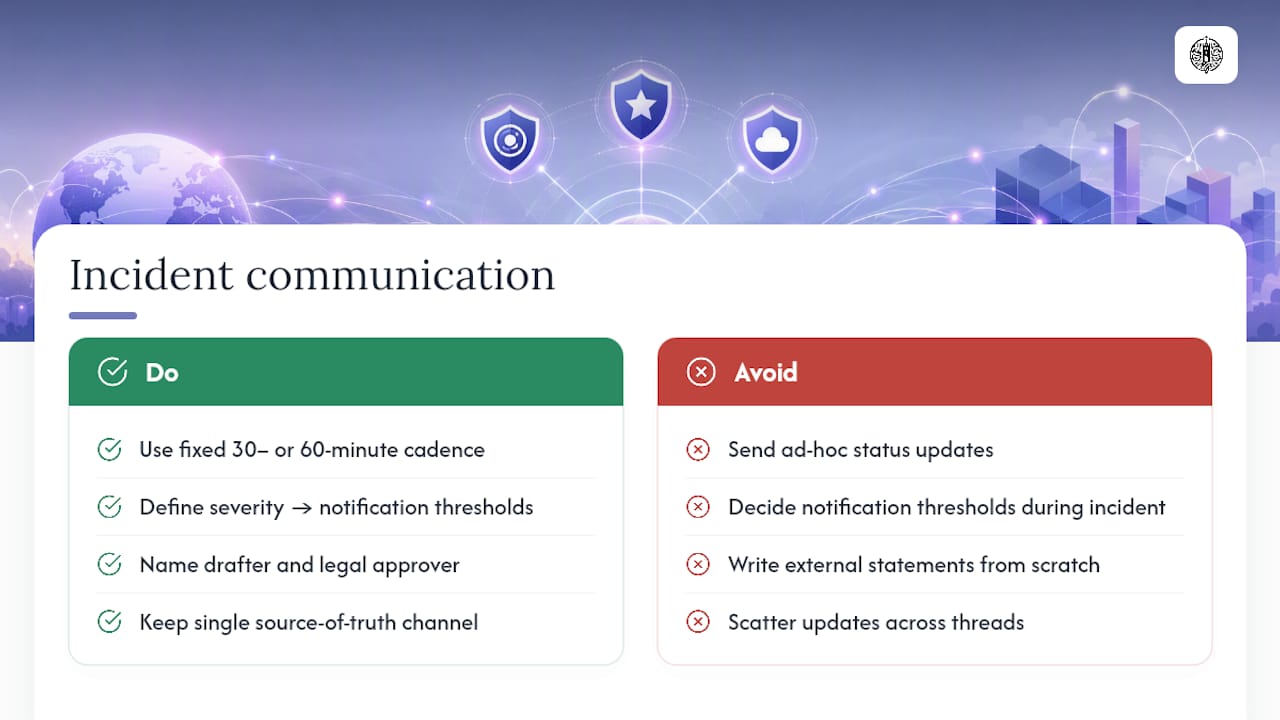
Every playbook needs a communication section separate from the technical steps, because who gets told what, and when, is its own decision tree. Internal updates should follow a fixed cadence, not an ad hoc one; a 30 or 60 minute update rhythm to leadership during an active incident keeps stakeholders informed without pulling responders into constant status meetings.
Define, inside the playbook itself, exactly which severity level triggers executive notification and which triggers customer or regulator notification. Waiting until an incident is underway to figure out the notification threshold is how organizations end up either notifying too late or alarming leadership over something minor.
External notifications carry legal weight. Breach notification laws in most US states, along with sector-specific rules for healthcare and financial services, often set strict deadlines once certain data types are confirmed exposed. The playbook should name who drafts external communication, who has legal sign-off authority, and where the approved message templates live, so nobody is writing a public statement from scratch under deadline pressure.
Internally, keep a single source of truth for status. A shared incident channel or ticket, updated on the fixed cadence, beats a scatter of email threads and side conversations that make it impossible to reconstruct the timeline later.
Version Control and Maintenance Practices for Playbooks
A playbook that hasn’t been touched in two years is documenting a system that no longer exists. Treat playbooks like code: store them in a version-controlled repository, require review before merging changes, and tag each version with a date and the incident or exercise that triggered the update.
Assign an owner to each playbook, not just to the overall library. That owner is responsible for scheduling a review at a fixed interval, commonly every quarter or after any incident that touches the scenario the playbook covers. Community repositories on platforms like GitHub already model this well, pairing playbooks with changelogs and severity-triage tools that make drift visible instead of silent.
Every update needs a reason attached to it. “Updated Step 4 after the March incident revealed the old MFA reset command was deprecated” is useful history. A playbook with no changelog and no owner tends to rot quietly until the day it’s needed and turns out to reference a tool the company retired a year earlier.
Legal and Compliance Considerations Related to Incident Handling
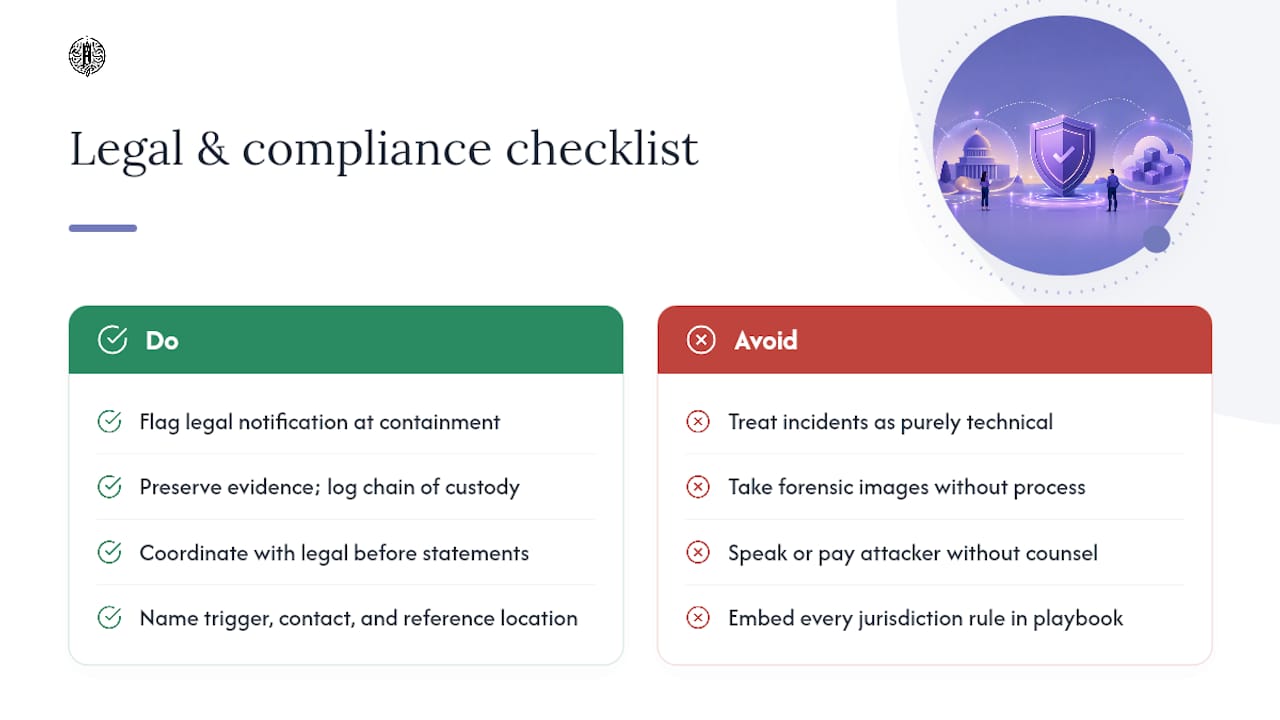
Incident handling isn’t purely a technical exercise once data exposure, regulatory reporting, or law enforcement involvement enters the picture. Playbooks should flag, at the containment stage, whether the incident type carries a legal notification clock, because the technical response and the legal response often run on different timelines.
Evidence handling deserves its own line in every playbook: what gets preserved, how it gets logged, and who signs off on the chain of custody. A forensic image taken without a documented process can become far less useful if the incident ends up in litigation or a regulatory inquiry. Coordinate with legal counsel before any public statement, and before any decision to pay or negotiate with an attacker in a ransomware scenario, since that decision carries its own regulatory exposure in some sectors and jurisdictions.
Compliance frameworks like HIPAA, PCI DSS, and state breach notification laws each set their own thresholds for what counts as a reportable incident and how fast that report has to move. Rather than trying to embed every jurisdiction’s rule into a technical playbook, name the trigger condition, the internal contact responsible for making the legal call, and where the current regulatory reference material lives. That keeps the playbook usable without turning it into a legal document it was never meant to be.
The Practitioner’s View on Playbooks Under Pressure
Separating the Incident Manager from the Technical Manager is the single highest-leverage change most teams skip. One person coordinates timing, stakeholders, and communication; another runs the technical work. Combine those roles and both jobs suffer, especially executive notification, which needs to happen early enough to matter, not after the technical picture is fully clear. PROJECT-JTH built its advisory work around exactly that gap, helping teams keep clarity when pressure is highest.
— Jesse Hart
Turn These Templates Into Tested Playbooks With PROJECT-JTH
There are practical alternatives to hiring large consultancies for playbook work, including technical advisory focused on risk assessment, security remediation, and leadership communication that supports effective playbook execution under pressure.
Reading a template is one thing; running it against a simulated ransomware incident with your actual team is another. Services offered can include playbook development, tabletop and live-incident simulations, leadership workshops centered on communication during incidents, along with guidance on automation readiness. If your current playbooks have never been tested against a live drill, that’s the gap worth closing first. Visit PROJECT-JTH to request a workshop or a playbook development engagement.
Sources
Cybersecurity Incident & Vulnerability Response Playbooks (CISA)
incident-response-playbooks (GitHub) - standardized NIST-aligned playbooks and tooling
FAQ
What Is an Incident Response Playbook?
It’s a scenario-specific, step-by-step procedure for detecting, containing, and recovering from one type of incident, formatted for fast execution under pressure. NIST SP 800-61r3 recommends playbooks as the usable format for documented incident procedures.
How Many Playbooks Should a Team Start With?
Start with playbooks for your three most likely incident types, such as phishing, ransomware, and cloud identity compromise, rather than trying to cover every scenario at once. A small set of fully validated playbooks outperforms a large library of untested ones.
What’s the Difference Between a Playbook and a Runbook?
A playbook is the scenario-level procedure a human follows; a runbook is often the granular technical script or command sequence a specific step in that playbook triggers. Both sit underneath the broader incident response plan that sets overall policy and authority.
When Should a Step in a Playbook Be Automated?
Only after it has been validated through repeated tabletop or live exercises, shown to be low-risk, and confirmed to produce a measurable, predictable output. AWS’s guidance warns that automating an unvalidated process tends to increase escalation risk rather than reduce it.
How Often Should Playbooks Be Reviewed and Updated?
Most teams review playbooks on a quarterly cadence and immediately after any incident or exercise that touches the scenario the playbook covers. Version control with a dated changelog keeps drift visible instead of letting a playbook quietly go stale.
Can PROJECT-JTH Help Build or Test Our Playbooks?
Yes. PROJECT-JTH offers playbook development, incident simulation exercises, and leadership workshops focused on communication during active incidents, along with advisory on automation readiness. Current engagement details are available at PROJECT-JTH.
