


Cloud Migration Assessment: 5 Deliverables IT Leaders Must Own
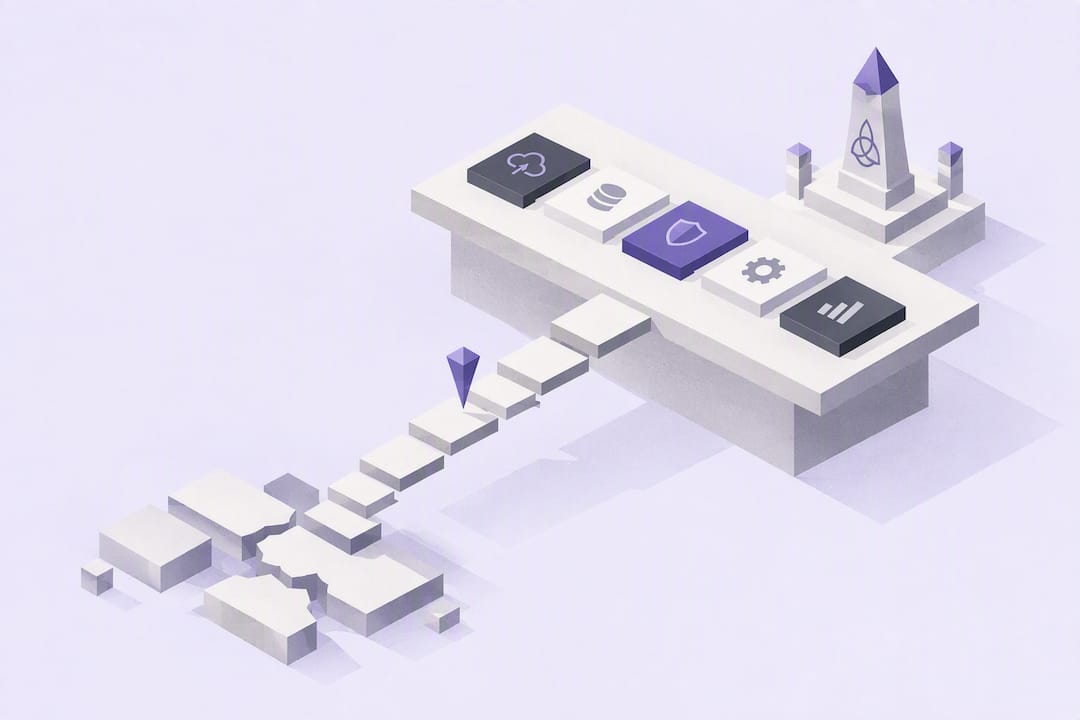
A cloud migration assessment is a structured, cross-functional review that produces a prioritized migration roadmap, a risk register, and a cost baseline before any workload moves. The verdict is simple: run discovery, map dependencies, and build a remediation backlog with named owners before touching production. Tools like AWS Migration Evaluator and Azure Migrate can generate inventories and rightsizing numbers, but the roadmap only becomes usable once someone is accountable for every item on it.
TL;DR:
Automated tools can inventory infrastructure and provide rightsizing estimates but often miss undocumented dependencies and shadow IT.
Dependency mapping should include service calls, shared databases, message queues, external APIs, and authentication systems, ideally confirmed with application owners.
Cost savings of up to 50% are possible by identifying and eliminating over-provisioned infrastructure during assessment, but only if the baseline current usage is accurately measured.
Organizational readiness beyond technology, including team skills, governance, security, and clear ownership, is critical before moving workloads to the cloud.
An effective assessment delivers a prioritized migration plan, a remediation backlog with owners, a risk register, a validated cost baseline, and stakeholder sign-off.
PROJECT-JTH
Bring Clarity to Cloud Decisions
PROJECT-JTH provides technical advisory services that help leaders address operational challenges, architecture, cybersecurity, and risk under pressure.
Table of Contents
What Should a Database and Code Compatibility Review Include?
What Does an Honest Cloud Migration Cost Estimate Look Like?
What Should the Assessment Deliver Before You Move Anything?
What Does a Cloud Migration Assessment Actually Cover?
An assessment is not an inventory spreadsheet. It is a cross-functional exercise that pulls in application owners, security, finance, and operations to answer one question: is this workload, and this organization, ready to move? The scope has to be wide enough to catch problems that a server list alone will never surface.
A workable cloud readiness assessment covers:
Business objectives and the timeline driving the migration
The full application estate, including shadow IT nobody has documented
Data classification, residency requirements, and retention rules
Security posture and compliance obligations (HIPAA, FedRAMP, SOC 2, and similar frameworks where relevant)
Governance model: who approves changes, who owns cost
Current operating model and staff skill gaps
Baseline costs against projected cloud spend
The expected output is a roadmap with named owners, a risk register, and a remediation backlog, not a slide deck with a maturity score.
How Do You Build a Cloud Migration Assessment Checklist?
Most assessments run two to eight weeks depending on estate size. Compress the work into a checklist and it looks like this:
Discovery and inventory. Catalog every server, application, database, and network path. Pull configuration data, license terms, and ownership records.
Classification with the 6 Rs. Sort each workload into rehost, replatform, repurchase, refactor, retire, or retain, and write down the criteria behind each call.
Dependency mapping. Trace what talks to what, inside and outside the data center.
Performance baselining. Capture CPU, memory, storage I/O, and network throughput over a real business cycle, not a quiet Tuesday.
Deliverable assembly. Consolidate findings into a risk register, a remediation backlog, and a draft wave plan.
Involve application owners early. They know about the batch job that runs at 2 a.m. and the integration nobody documented three reorgs ago.
Pro Tip: Timebox each phase publicly. A discovery phase with no deadline tends to expand until someone above IT starts asking why the migration hasn’t started.
What Can Assessment Tools Find, and What Do They Miss?
Automated discovery tools do the heavy lifting on inventory, but they read infrastructure, not intent. They can tell you a server exists. They cannot tell you why it matters.
Azure Migrate analyzes readiness, calculates rightsizing recommendations, and estimates monthly costs for candidate targets, according to Microsoft’s own assessment concepts overview.
AWS Migration Evaluator builds a business case from on-premises usage data, comparable in purpose to Azure’s tooling.
Google Cloud Migration Center inventories infrastructure and deployment processes and helps calculate total cost of ownership, per Google’s migration assessment guidance.
The common blind spot across all three: undocumented dependencies and shadow IT. Google’s own migration center guidance notes that tools reduce manual effort but routinely miss connections nobody logged anywhere. Close the gap with application performance monitoring, network flow analysis, and structured interviews with the people who actually run the systems.
How Do You Map Application and System Dependencies?
Dependency mapping is where most assessments earn their budget or quietly fail. A workload that looks self-contained on a diagram often turns out to share a database, a queue, or a cron job with three other systems nobody thought to check.
Map these connections directly:
Service-to-service calls and shared databases
Message queues, shared file stores, and scheduled jobs
External dependencies: SaaS platforms, partner APIs, third-party data feeds
Authentication and identity dependencies across systems
Use APM traces and network flow logs to catch what documentation misses, then confirm findings with the application owners who wrote the code or inherited it. Azure’s Cloud Adoption Framework treats performance baselines as a required input precisely because rightsizing without runtime data is a guess. The resulting map determines migration waves directly: tightly coupled systems move together, and anything that can’t move yet needs a temporary integration bridge back to on-premises.
What Should a Database and Code Compatibility Review Include?
Database migrations carry more hidden risk than compute, because engines, versions, and replication setups rarely translate cleanly. Inventory every engine, version, hosting model, and replication dependency before deciding anything.
Document engine type, version, patch level, and licensing terms
Decide the migration approach: lift-and-shift, move to a managed service, split a shared instance by workload, or refactor the schema
Review application code for OS assumptions, hard-coded IP addresses, and framework version mismatches
Rank blockers by severity: fix before migration versus fix after cutover
Splitting a shared database instance versus moving it whole is a tactical call that reshapes wave sequencing and cutover complexity. Test the chosen approach in a proof of concept rather than committing to it on paper.
What Does an Honest Cloud Migration Cost Estimate Look Like?
Cost estimates built only on list prices are fiction. A credible total cost of ownership model starts with what the organization spends today: hardware refresh cycles, facility overhead, staffing, and existing license terms.
Baseline current-state costs across hardware, power, floor space, and staff time
Pull rightsized target sizing and estimated run costs from assessment tooling
Add migration labor, dual-running costs during cutover, data transfer fees, and license differences in the target environment
Expect Year 1 to run over-provisioned as teams build confidence, with real optimization savings landing in Year 2 and beyond
A structured assessment that identifies over-provisioned on-premises instances and recommends rightsized alternatives can cut cloud costs by up to 50% in some cases, largely by catching capacity nobody was actually using.
That number depends entirely on how much slack exists in the current environment, which is exactly why the baseline has to be measured, not estimated.
Is Your Organization Ready Beyond the Technology?
Technical readiness means nothing if the operating model behind it can’t support a cloud environment. AWS’s own Migration Readiness Assessment framework evaluates organizations across six perspectives: business, people, governance, platform, security, and operations.
Assess team skills honestly and decide where external expertise closes a real gap versus where training suffices
Check governance basics: landing zone design, identity and access management, tagging standards, and cost allocation
Confirm security and compliance guardrails exist before workloads move, not after
Assign a named owner and a definition of done to every remediation item
Pro Tip: A remediation item with no owner and no deadline is not a remediation item. It’s a wish. Write down who fixes it and by when, every single time.
What Should the Assessment Deliver Before You Move Anything?
The assessment phase ends with a specific set of artifacts, not a general sense of confidence. If any of these are missing, the team is not ready to mobilize.
A prioritized wave plan, sequencing pilot workloads first, non-production environments second, and representative production workloads third
A remediation backlog with named owners and deadlines
A risk register documenting migration risks, likelihood, and mitigation steps
A validated cost baseline covering infrastructure, labor, and licensing
Formal stakeholder sign-off confirming the gating conditions to move from assessment into execution are met
Choose a pilot workload that is representative, not trivial. It should exercise identity management, real data flows, and the actual cutover procedure, so a successful pilot tells you something true about the rest of the migration.
What PROJECT-JTH Sees Most Often in These Assessments
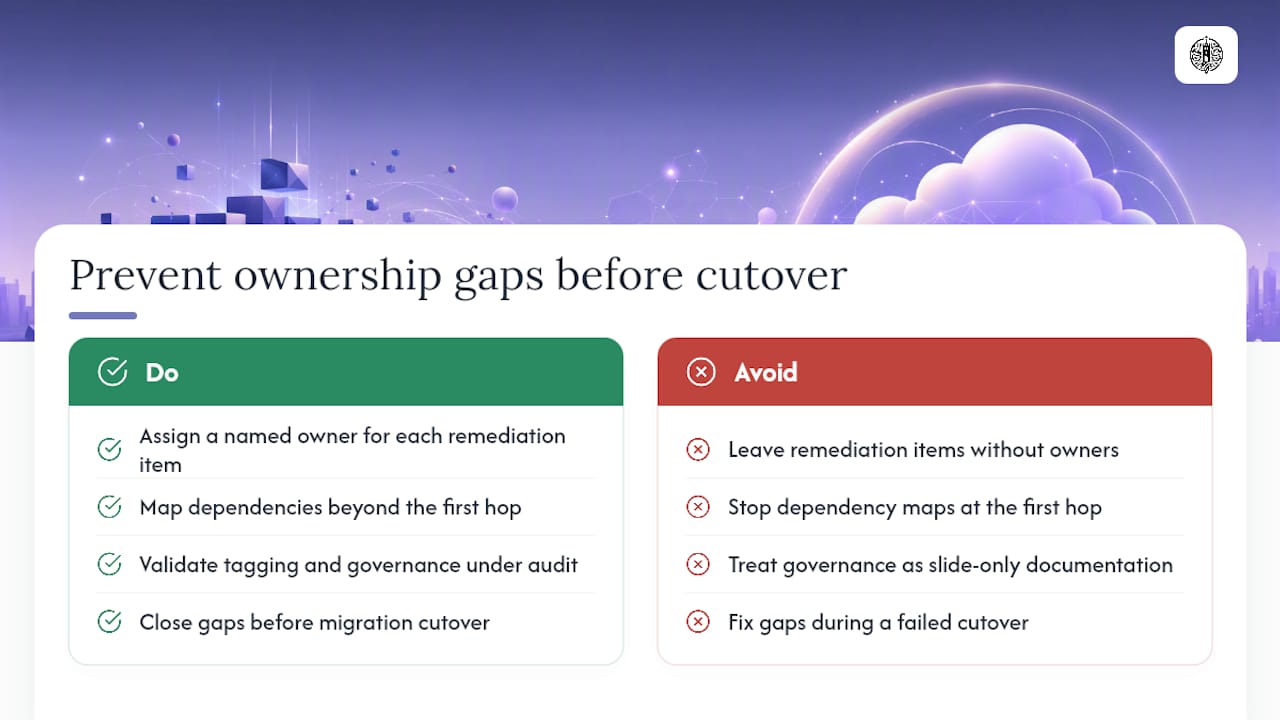
Most assessments don’t fail on discovery. They fail on ownership. Technical inventory work pairs with clarity-under-pressure principles because a dependency map is only useful if someone signs their name to fixing what it finds.
The recurring gaps: remediation items with no owner, dependency maps that stop at the first hop, and tagging or governance hygiene that looked fine in a slide but falls apart under a real audit. Closing those gaps before migration is far cheaper than closing them during a failed cutover.
— Jesse Hart
Ready to Turn Your Assessment Into a Real Roadmap
Assessments run the way this article describes them: cross-functional, ownership-driven, and built to end in a backlog someone actually executes, not a report that sits in a shared drive. That’s the practical edge over a generic checklist exercise. If your team needs a structured second set of eyes on infrastructure, security posture, or Linux automation before migration, a Technical Systems & Risk Review gives you a prioritized remediation list with owners attached, not just a diagnosis.
Once discovery starts generating findings, you need somewhere to keep them from scattering across spreadsheets and chat threads. Project Relay was built for exactly that kind of production record and handoff tracking, at $49 per month. For teams handling large-scale endpoint mapping alongside the migration, this site migration planning guidance is also worth a look. Reach out to the provider to scope a risk review before your first wave leaves the ground.
Sources
FAQ
What Are the Steps of a Cloud Migration Model?
Most frameworks describe a sequence covering assess, plan, migrate, and optimize, with discovery and dependency mapping happening inside the assessment stage. Vendor guides sometimes expand this into more granular phases, but the underlying logic stays consistent: understand the estate before you plan, and plan before you move anything.
What Belongs in a Cloud Migration Assessment Checklist?
A solid checklist includes discovery and inventory, workload classification using the 6 Rs, dependency mapping, performance baselining, cost estimation, and a governance and security review. The output should be a risk register, a remediation backlog with owners, and a prioritized wave plan.
What Are the 6 Rs of Cloud Migration?
The 6 Rs are rehost, replatform, repurchase, refactor, retire, and retain. Each workload gets classified into one of these categories during the assessment based on business value, technical complexity, and remediation cost.
What Are the Phases of a Cloud Migration?
A typical migration runs through assessment, planning, migration execution, and optimization, sometimes with a separate mobilization phase between planning and execution. The assessment phase is where cloud migration risk assessment happens, since every decision downstream depends on the accuracy of the inventory and dependency map built here.
How Long Does a Cloud Migration Assessment Take?
A focused assessment typically runs two to eight weeks depending on the size of the application estate and how well-documented the environment already is. Organizations with significant shadow IT or undocumented dependencies should budget toward the longer end of that range.
