


Security Teams: Build A Vulnerability Management Program in 90–180 Days
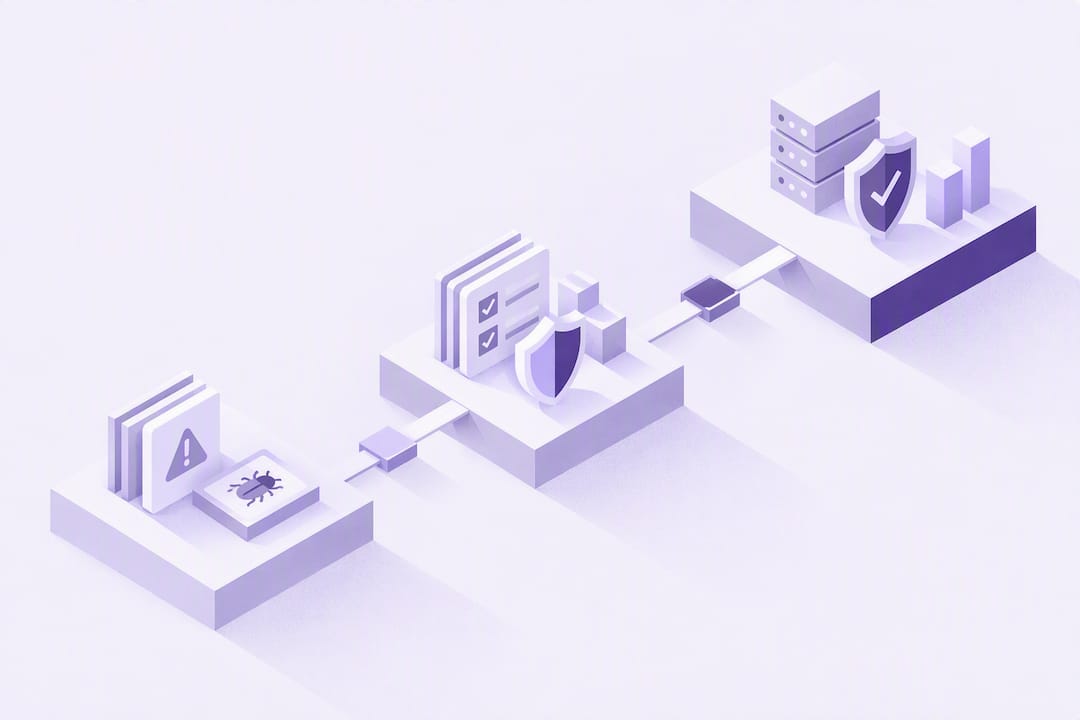
A vulnerability management program is the repeatable process an organization uses to discover, prioritize, remediate, and verify fixes for security weaknesses across its systems, tied directly to measurable business risk reduction. A working program produces fewer exploitable vulnerabilities in production, a shrinking mean time to remediate (MTTR), and documented service-level agreements that hold up under audit. Standards like NIST SP 800-40, the OWASP Vulnerability Management Guide, and the CISA CRR Resource Guide all converge on the same structure, emphasizing process before tooling.
TL;DR:
Focus initial efforts on internet-facing systems and high-value assets to prevent backlog buildup and maintain trust in the vulnerability management process.
Implement a risk-based prioritization method that weighs exploit availability, exposure, and asset importance more heavily than CVSS scores alone.
Enforce clear SLAs for critical, high, medium, and low severity findings, ensuring documentation and expiration dates accompany all accepted risks or exceptions.
Integrate scans into CI/CD pipelines and match scanning frequency to asset risk levels, focusing on early detection before vulnerabilities reach production.
Develop strong communication and ownership protocols, including automation and training, to ensure effective handoffs and sustain process discipline under operational pressure.
PROJECT-JTH
Bring Clarity to Security Operations
PROJECT-JTH provides technical advisory services and risk assessments to help teams address operational challenges under pressure.
Table of Contents
The Vulnerability Management Lifecycle: Stages and Responsibilities
Every mature program follows the same skeleton, regardless of industry or headcount. NIST SP 800-40 and OWASP’s guidance both frame it as a cycle rather than a project with an end date, and each stage hands off a specific artifact to the next.
Scope and preparation: define asset inventory, ownership, and risk tolerance before any scan runs.
Discovery: scanners and manual assessments produce a raw findings list tied to specific assets.
Triage and prioritization: findings get ranked by real risk, not just CVSS score.
Remediation, mitigation, or acceptance: each finding gets a fix, a compensating control, or a documented risk acceptance.
Verification: closed tickets get re-checked, never just trusted.
Reporting and improvement: metrics feed back into scope and process changes.
The CISA CRR Resource Guide adds a governance layer on top: discover, analyze, resolve, and improve, mapped to CERT-RMM maturity practices. That improvement loop is what separates a program from a one-time scan project.
Governance and Resourcing: Who Owns the Program?
Scope creep kills more vulnerability management efforts than bad tooling does. Start narrow: internet-facing systems and high-data-value assets first, then expand in phases once the process holds up under real volume. OWASP’s guidance is blunt about this. Its Vulnerability Management Guide warns that a scanner alone is not a program, and trying to cover every asset on day one usually produces a backlog nobody trusts.
Four roles need names attached, not just job titles:
Program owner: sets policy, SLAs, and reports to leadership.
Asset owner: knows what the system does and who depends on it.
Remediation owner: actually applies the patch or config change.
Risk approver: signs off on exceptions and accepted risk.
Pro Tip: Get your risk approver’s signature on the exception process itself, not just individual exceptions. A pre-approved template with expiration dates moves faster than a case-by-case email chain, and it survives audits.
Discovery: Scanning Types, Cadences, and CI/CD Integration
Discovery is where most teams either build good habits or bury themselves in noise. Credentialed scans see far more than unauthenticated ones because they log in and inspect configuration, patch levels, and installed software directly. Unauthenticated scans still matter for simulating what an outside attacker sees, but they should never be your only view of internet-facing assets.
Different asset types need different tools:
SAST catches insecure code patterns before a build ever ships.
DAST tests running applications the way an attacker would probe them.
Dependency scanning flags known-vulnerable open source libraries.
Container image scanning checks base images and layers before deployment.
Cloud posture scanning catches misconfigured storage, permissions, and network exposure.
Cadence should match risk, not convenience. Run scans on every CI build, weekly on internet-facing production systems, and monthly on internal, lower-exposure assets. AWS’s own guidance on operationalizing security tooling makes the case that scanning without a maturity roadmap just produces tens of thousands of unactioned findings. Gate your CI/CD pipeline to fail builds on critical findings, and you shift a meaningful share of remediation work left, before code ever reaches production.
Triage and Risk-Based Prioritization
CVSS score alone tells you almost nothing about which vulnerability to fix first. A 9.8 CVSS finding on an isolated test server matters less than a 7.2 on an internet-facing payment system that’s actively being probed. Risk-based vulnerability management (RBVM) combines severity with exploitability, exposure, and asset criticality to cut through that noise, and the approach consistently outperforms CVSS-only triage in real-world remediation efficiency.
A simple weighting model works for most teams starting out:
Exploit availability (public exploit code or active campaigns): heaviest weight.
Exposure (internet-facing vs. internal-only): second heaviest.
Asset criticality (revenue system vs. dev sandbox): third.
CVSS base score: a tiebreaker, not the primary signal.
Threat intelligence should actively reorder your queue, not just inform quarterly reports. If a CVE moves from theoretical to actively exploited in the wild, that finding jumps to the top of the remediation queue immediately, regardless of where it sat on Monday’s list. Tenable’s research on multi-signal triage notes that combining CVSS with exploit and exposure data is what keeps remediation teams from chasing low-impact items while real threats sit unpatched.
Remediation Workflows, SLAs, and Exception Handling
Every severity tier needs a written clock attached to it, and everyone from the remediation owner to the risk approver needs to know what that clock is. A workable starting point:
Critical: usually within a day, especially tighter for internet-facing systems under active exploitation.
High: typically within about a week.
Medium: often targeted within roughly a month.
Low: generally within a few months.
These aren’t arbitrary. Community templates and vendor guidance on mature program SLA frameworks consistently land in this range, then tighten it for anything exposed directly to the internet.
Not every finding gets fixed on schedule, and that’s fine as long as the exception is documented. Every exception needs a compensating control, a named approver, and an expiration date, not an open-ended “accepted risk” that never gets revisited. For critical production systems where a full fix takes time, a mitigate-in-place policy, temporary firewall rules, additional monitoring, or configuration hardening, lets teams respond to active exploitation immediately while the permanent fix goes through testing and rollback planning.

Verification and Metrics That Matter
Closing a ticket is not the same as fixing a vulnerability, and teams that skip verification tend to relearn this the hard way. IBM’s lifecycle guidance is direct about this: closing without re-checking leaves exposure lingering under a false “resolved” status. Verification means re-scanning the asset, checking the patched version number, and, where possible, running an automated test against the specific weakness.
Five metrics tell you whether the program is actually working:
MTTR by severity tier.
Open critical count, tracked weekly.
SLA adherence rate as a percentage.
Recurrence rate for previously closed findings.
Backlog trend over rolling 90-day windows.
Audience | What to show |
|---|---|
Executives | SLA adherence, backlog trend, risk exposure trend |
Technical teams | Per-asset MTTR, recurrence rate, scan coverage gaps |
A 90/180/365-Day Rollout for a New Program
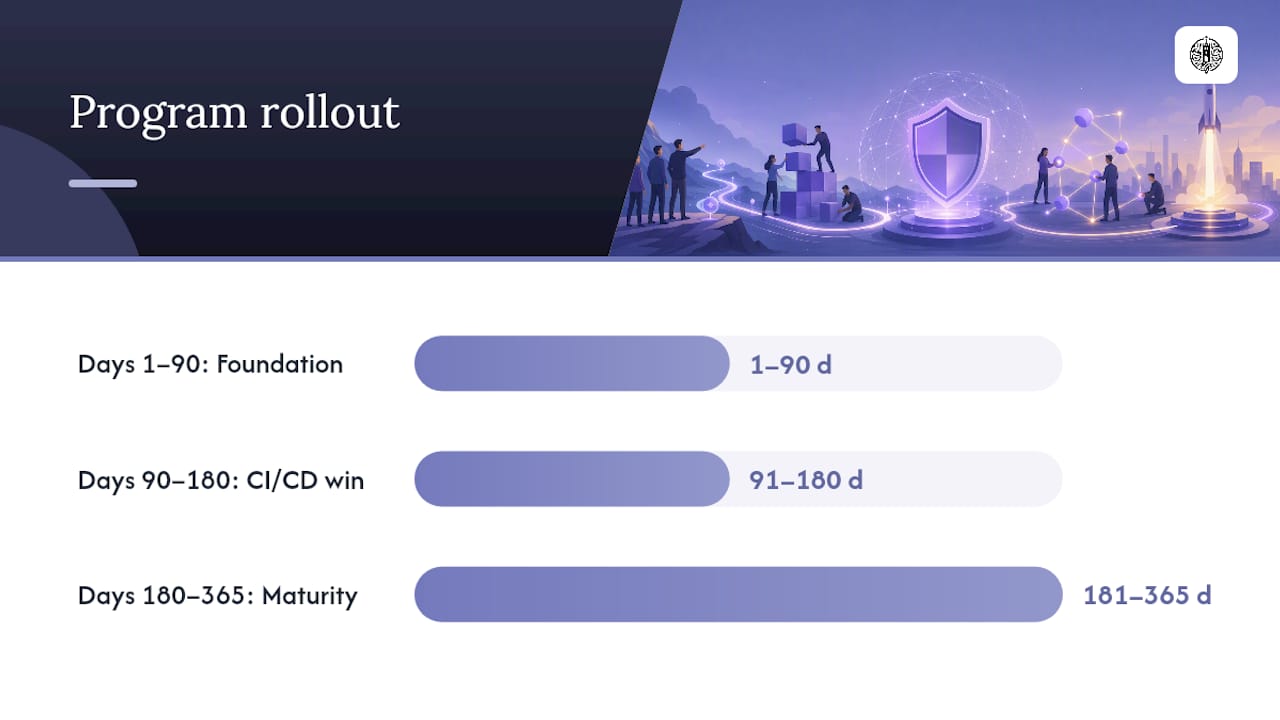
Trying to launch a fully mature program on day one is the fastest way to stall out before you ever fix a real vulnerability. Start with a minimum viable setup: an asset inventory, one scanner, a basic triage rule set, and one SLA tier applied to critical findings only.
Days 1 to 90: Get the MVP running. Inventory assets, deploy one scanner against internet-facing systems, define triage weighting, and enforce a critical-severity SLA.
Days 90 to 180: Add CI/CD scan gates, expand scanning to internal assets, and introduce medium and low SLA tiers.
Days 180 to 365: Formalize exception governance, build executive dashboards, and start tracking recurrence rate as a leading indicator of process health.
The two most common failure modes are over-scanning before triage rules exist, which just produces backlog nobody trusts, and treating a scanner purchase as the finish line. AWS’s guidance on this is blunt: tooling without workflow just creates a bigger pile of unactioned findings.
Pro Tip: Your first quick win should be CI/CD integration, not broader scan coverage. Catching a vulnerability before it ships costs a fraction of what remediating it in production does.
Making the Lifecycle Actually Work Under Pressure
Most programs fail from process gaps, not from missing tools. Teams buy a scanner, get thousands of findings, and have no triage rule to sort them, which is exactly the failure mode OWASP and AWS both describe. What actually separates a functioning program from a stalled one is whether the handoff between finding an issue and someone actually owning the fix survives contact with a busy sprint calendar.
A Technical Systems & Risk Review tends to surface that gap fast: not “which scanner should we buy,” but “who currently owns remediation, and does that person know it?” In most environments under real production pressure, the missing piece is communication discipline between security, infrastructure, and engineering leads, not another dashboard. Training that focuses on calm, structured handoffs under time pressure closes more of the SLA gap than a second scanning tool ever will.
— Jesse Hart
Turning a Program on Paper Into One That Runs
Reading a lifecycle diagram and running one under a Friday-afternoon critical finding are different problems entirely. PROJECT-JTH’s Technical Systems & Risk Review and Infrastructure Automation & Ansible Review work through the same gaps this guide covers: unclear ownership, missing SLA enforcement, and remediation steps nobody’s automated yet. That review process gives your team a prioritized action list instead of a generic audit report.
For teams that need a place to actually track remediation evidence and SLA adherence day to day, Project Relay handles production record and workflow tracking at $49 per month, built for exactly this kind of accountability trail. If your team needs hands-on practice running the triage and escalation process before a real incident forces the issue, the Solo, Team, and Practice programs build that muscle memory in a controlled setting. Reach out through the technical consulting page to scope a review against your current program.
Where to Verify the Details
For policy language, use NIST SP 800-40. For process cycles, use the OWASP Vulnerability Management Guide. For maturity mapping, use the CISA CRR Resource Guide. For CVE lookups, use the NVD.
Sources
FAQ
What Are the 5 Steps of Vulnerability Management?
The core cycle is discovery, prioritization, remediation, verification, and reporting, with governance and scoping happening before the first scan runs. NIST SP 800-40 and the CISA CRR Resource Guide both frame this as a continuous loop rather than a linear project with a fixed end date.
What Is a Vulnerability Management Program?
It’s the ongoing process an organization runs to find, rank, fix, and verify security weaknesses across its systems, tied to defined SLAs and metrics like MTTR. A program differs from a one-off scan because it includes governance, ownership, and a feedback loop that improves the process over time.
What Are the Top Vulnerability Assessment Tools?
Common categories include network and credentialed scanners, SAST and DAST tools for application code, dependency scanners for open source libraries, and container image scanners for cloud workloads. The right mix depends on your asset types more than any single product; OWASP’s guidance stresses that the process around the tool matters more than which scanner you pick.
Is OpenVAS Still Free?
Yes, OpenVAS remains available as a free, open source vulnerability scanner, commonly used for network-level scanning in smaller or budget-constrained programs. It works best paired with a defined triage process rather than run in isolation, since raw scanner output without prioritization tends to overwhelm a team fast.
How Do You Prioritize Vulnerabilities Beyond CVSS Score?
Combine CVSS with exploit availability, exposure (internet-facing versus internal), and asset criticality to rank real risk instead of raw severity. This risk-based approach is what keeps remediation teams focused on the vulnerabilities attackers are actually using, not just the ones with the highest score.
